Want to Play?
Download Fabric Mod Loader | https://maven.fabricmc.net/net/fabricmc/fabric-installer/1.1.1/fabric-installer-1.1.1.exe
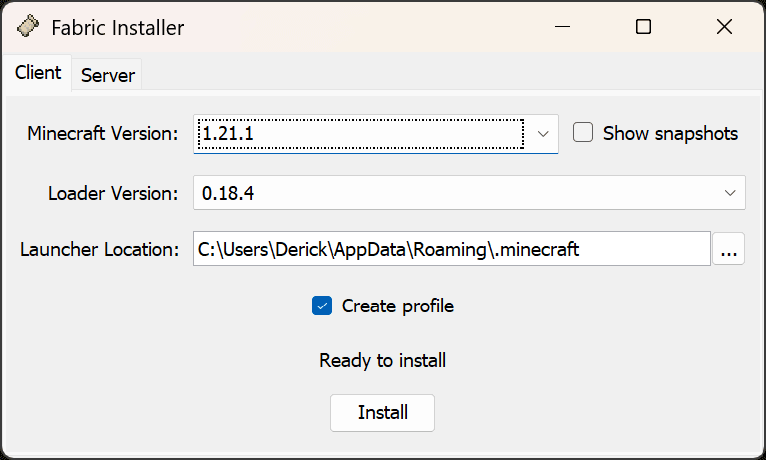
Select Minecraft Version 1.21.1 and Install (it’s not the latest version)
Download Fabric API for version 1.21.1 | https://cdn.modrinth.com/data/P7dR8mSH/versions/m6zu1K31/fabric-api-0.116.7%2B1.21.1.jar
Copy Fabric API to your mods folder (may need to be created)
You can find your Minecraft directory by pressing Windows Key + R, and copy/ paste %appdata%\.minecraft in the box that appears.
Directory example: C:\Users\Derick\AppData\Roaming\.minecraft\mods
Download Cobblemon Mod | https://cdn.modrinth.com/data/MdwFAVRL/versions/s64m1opn/Cobblemon-fabric-1.7.1%2B1.21.1.jar
Copy to mods folder
Directory example: %appdata%\.minecraft\mods (you can copy/ paste this into file explorer as well)
Open the Minecraft Launcher and edit the installation to allocate more resources to the game.
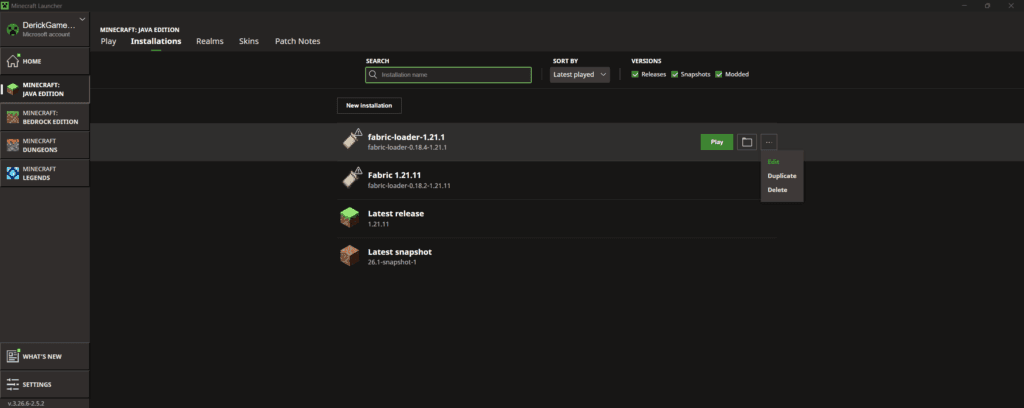
Modify JVM ARGUMENTS,
replacing -Xmx2G with -Xmx8G
(This tells the system to allocate 8 GB of RAM to Minecraft, instead of the default 2 GB. Substitute -Xmx4G if your system doesn’t have more than 8 GB of RAM.)
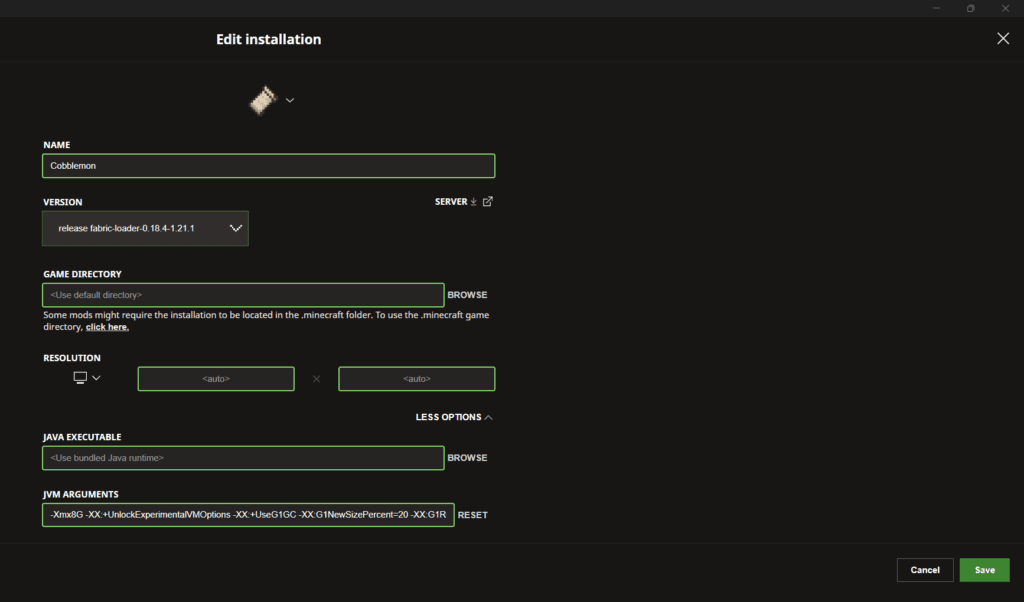
You can also rename your installation for easier reference, as I did here.
Hit play, and you’re good to go.
Select Multiplayer and Add Server
Our Server Address is poke.yfderick.com

(Be sure to move/ remove the Cobblemon mod from the mods folder before returning to normal gameplay. It may crash your game if you try to launch a newer version of the game with the mod active in the mods folder.)